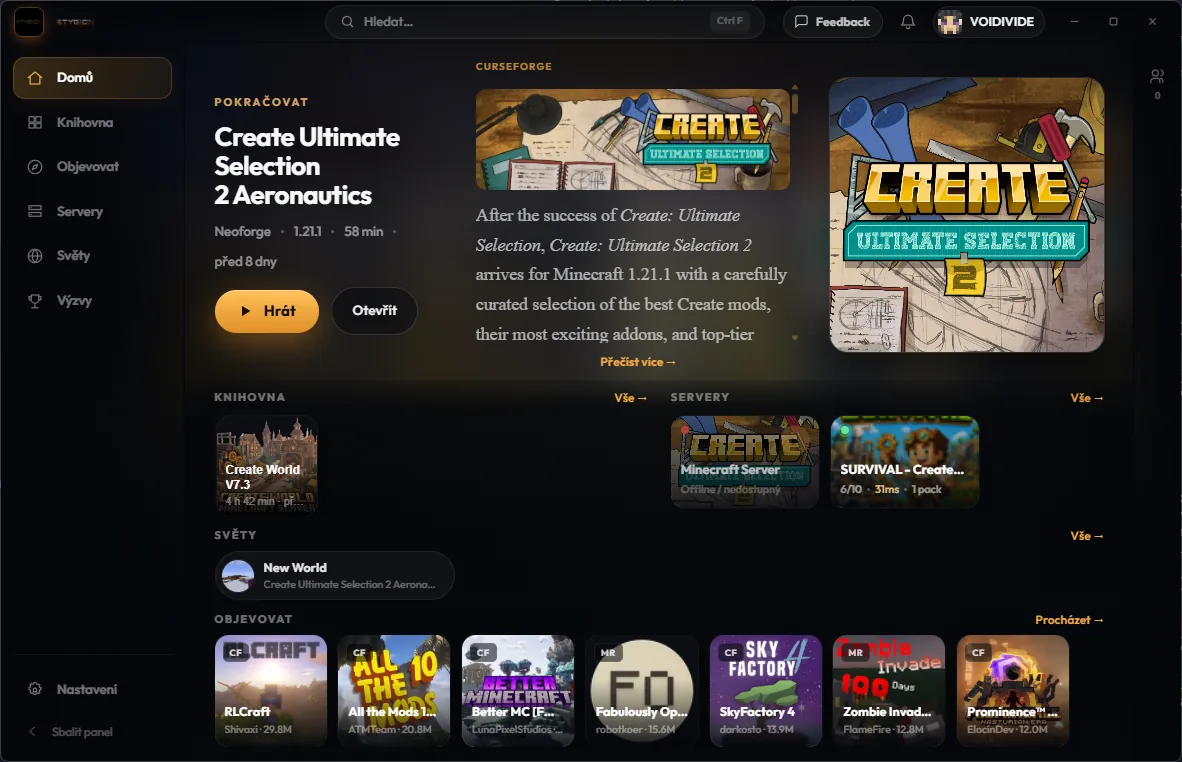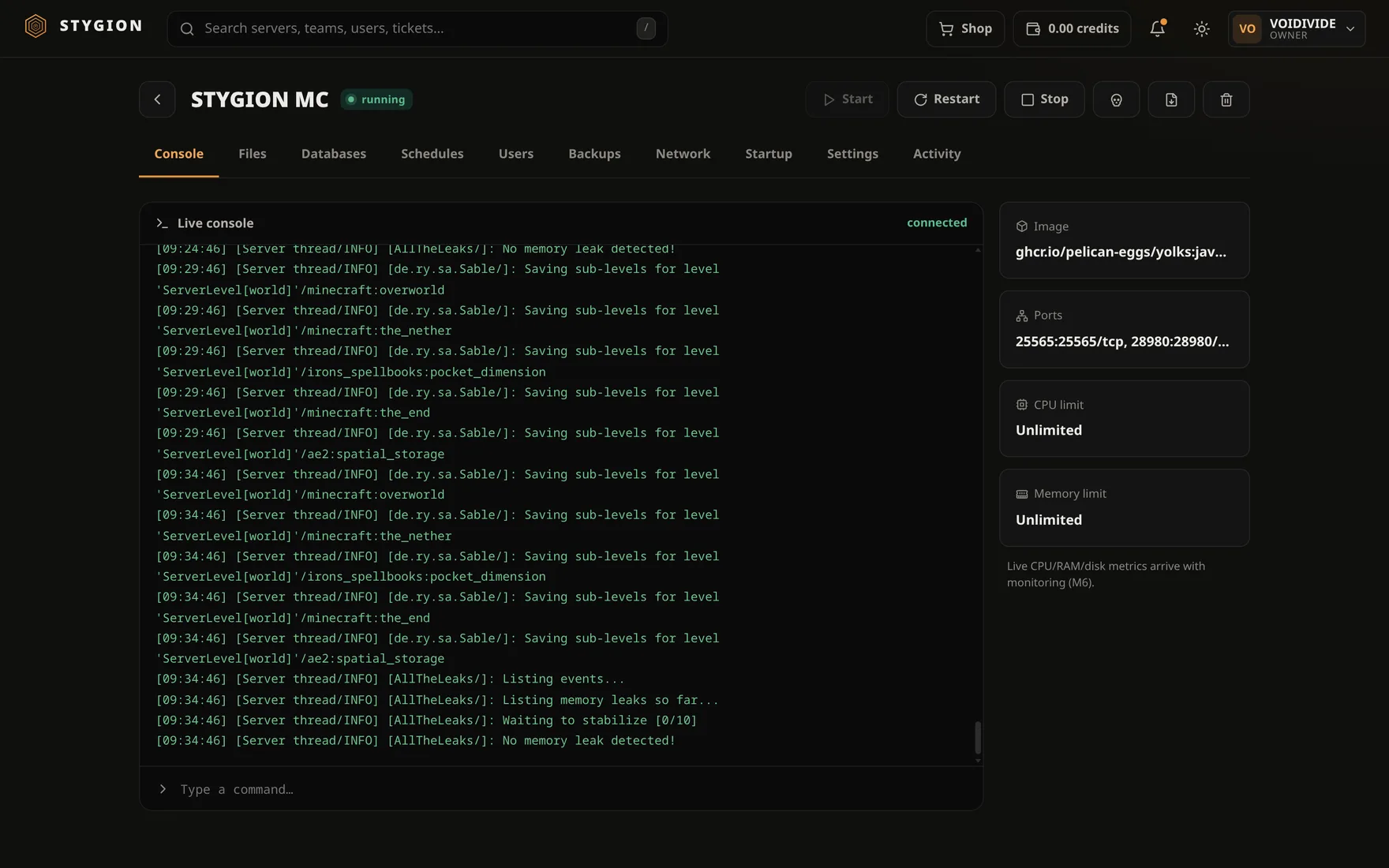

Minecraft launcher

Modpacks from Modrinthand CurseForge. In one launcher.

Find a modpack, install it in one click, play. Every instance keeps its own version, memory and Java — no manual setup.

Modrinth + CurseForgeMicrosoft & offlineAuto-update
STYGION Launcher

What the launcher does

Two catalogs, one launcher

Modrinth and CurseForge in one place. Find it, install it, play — no app-switching.

Modpacks that install in full

Even big CurseForge packs download complete — including mods you'd otherwise grab by hand.

Every instance, its own way

Per-instance version, mod loader, memory and Java. Switch between them with no conflicts.

Microsoft or offline account

Play via Microsoft, or create an offline account. Both work — you don't need premium to run it.

Java sorts itself out

The launcher downloads and picks the right Java per instance. Nothing to install by hand.

Always up to date

Updates install themselves on launch, with a changelog.

Take a look inside

A library the way you like it
01

A library the way you like it

Groups, card sizes, search. Every instance — and its loader — within reach.

Browse both catalogs
02

Browse both catalogs

Modrinth and CurseForge side by side. Filter, open, install in one click.

Premium or offline
03

Premium or offline

Switch between Microsoft and offline accounts. No premium needed to get going.

Everything in one launcher

No add-ons, no setup. It does all this the moment you install it.

Launch & loaders
  • Vanilla, Fabric, Quilt, Forge and NeoForge
  • Java downloaded and picked per instance
  • Shared asset/library store — less disk, faster starts
  • No black console windows flashing in the background
Accounts
  • Microsoft sign-in (browser, no codes)
  • Offline accounts — no premium
  • Multiple accounts, quick switching
  • Skin and head from the real texture
Instances
  • Library: grid or list, sorting, search
  • Folder groups + drag & drop
  • Card size S / M / L
  • Memory, Java and JVM per instance
  • Tabbed detail, and delete that removes files on disk
Modpacks & mods
  • Modrinth and CurseForge in one catalog
  • One-click install with live speed and ETA
  • Dependencies resolved automatically
  • We work around blocked CurseForge mods
  • Import .mrpack and CurseForge .zip
  • Per-instance mod manager — enable/disable
Look & feel
  • Themes: Amber, Bone, Catppuccin Mocha
  • Frameless window with a custom title bar
  • Smooth transitions, comfortable/compact density
  • App-wide scaling 80–150%
  • Czech and English
  • Minecraft changelog right in the launcher
Updates & privacy
  • Auto-update on launch + changelog
  • Channel status page with manual check
  • Anonymous, opt-out telemetry — no PII
  • No hidden collection, benchmark or HW scan

On the roadmap

Coming next. What’s done is above — this is where the launcher is headed.

Full roadmap →
Planned

Per-instance account

A different account per instance, quick switch.

Planned

Advanced instance groups

Colors/cross-group sorting (partial), pin.

Planned

Screenshot manager

Per-instance screenshot gallery.

Planned

Mod-conflict analyzer

Mod collision detection (Phase 4).

Planned

Lockfile

Reproducible instance (Phase 4).

Planned

Multi-theme engine

Beyond Amber: switchable themes (Bone / Catppuccin…) + data-extensible registry. Today: Amber only (density + scale).

Planned

Server-pack sync

Pack ↔ server sync (Phase 4).

Planned

Delta snapshot / rollback

Instance versioning, roll back (Phase 4).

Download

Free for Windows, macOS and Linux.

v0.7.0 Alfa released 16. července 2026

The newest stable build is on the Alfa channel right now. Release lands as soon as it's ready.

Windows Download
macOS Soon
Linux Soon

Get started

  1. 01

    Download & install

    Pick the build for your system and install it. Windows, macOS or Linux.

  2. 02

    Sign in — Microsoft or offline

    Got premium? Sign in with Microsoft. If not, create an offline account and play on.

  3. 03

    Pick a modpack or version

    Browse modpacks from Modrinth and CurseForge and install in one click. Or run plain vanilla.

  4. 04

    Play

    Launch the instance. Java, memory and updates are handled for you.