In Panel
The console
The server's live output, sending commands, colour — and why the console is connected all the time, not only while you are looking.
Updated
The console
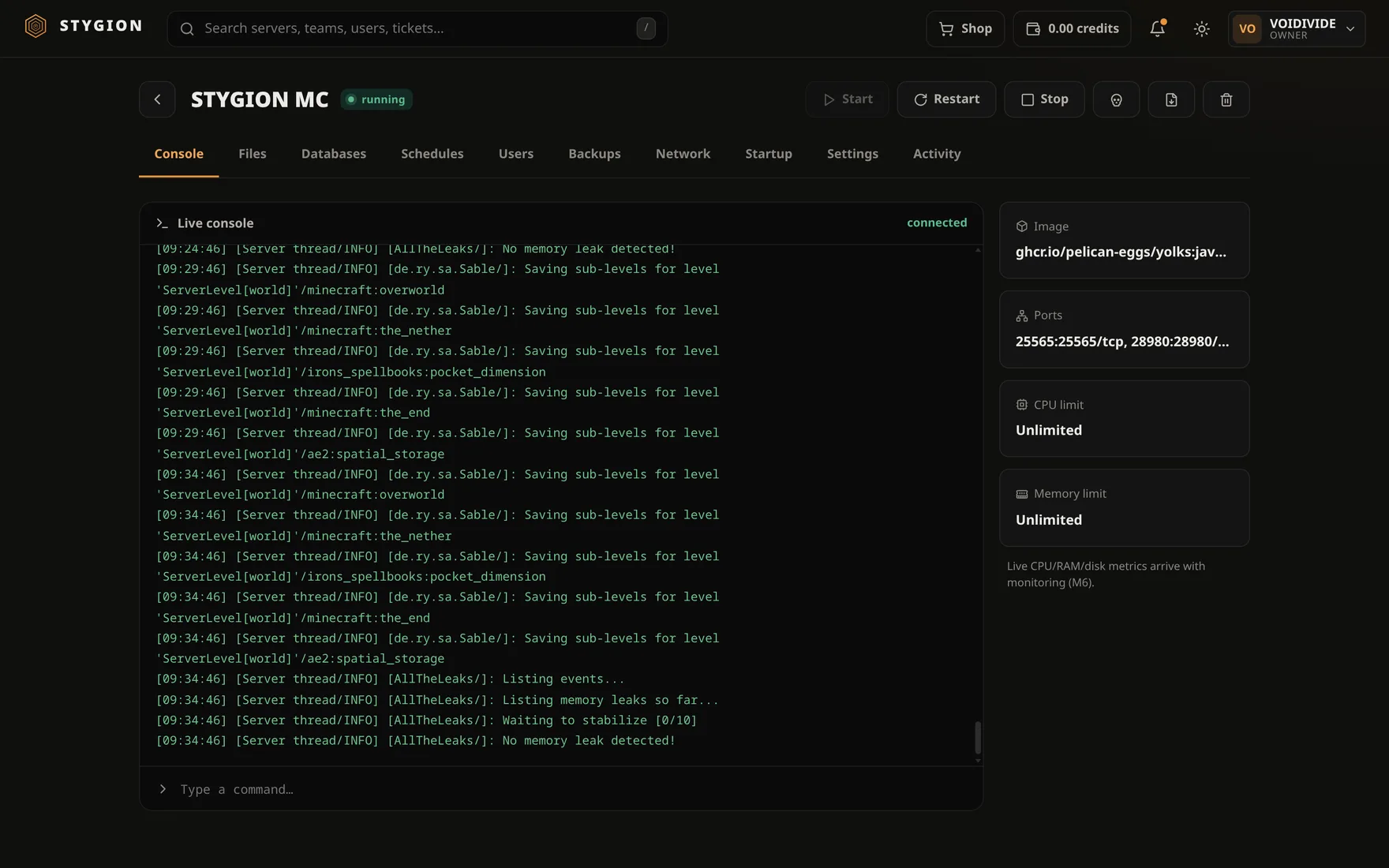
The console is what the server is writing, and a line to talk back on. It is a server's first tab, because it is where you find out what is going on.
The console belongs to the server, not to you
Opening the page used to start a log reader, and closing it killed that reader. Two things followed, which looked like different bugs and were two sides of one:
- The console opened on the previous run, because a container's log outlives its restarts. A wall of old text, a pause, and only then the server that is actually starting.
- Nothing was watching between actions. Press Start, switch to the other tab, come back — and the first seconds of the boot had happened while nobody was reading.
A running server now has one reader that lives as long as it does and writes into the panel's own buffer. Viewers only read from it. Opening the page is therefore instant, and ten people on one console cost what one does.
Start says what it is launching
[stygion] Starting Survival
[stygion] Image: ghcr.io/pelican-eggs/yolks:java_21
[stygion] Command: java -Xms4G -Xmx8G -jar server.jar nogui
[stygion] Port: 25565/tcp
[stygion] ──────────────────────────────────────────
A server pulling a large modpack can sit silent for a minute, and an empty console in that minute looks broken. It is also the fastest way to notice a wrong startup command.
Stop and Kill announce themselves the moment you press them — not when they finish. When an action fails, that is written here too: a banner followed by silence reads as "still booting".
An egg install writes into the same buffer, so watching an install and watching the server it becomes are one screen.
Colour
The panel understands ANSI and 256-colour codes, and Minecraft's own §
codes, so a MOTD looks like a MOTD instead of §6§lMy Server. Lines the
server left plain are tinted by level; where it chose its own colours,
the panel leaves them alone.
Sending commands
Type into the line at the bottom and send. For Minecraft this is the same thing you would type at the server console — no leading slash.
The command is echoed to everybody watching, not only to whoever typed it. And it is echoed only once the server has actually taken it, so the line means something.
Commands travel outside the stream, over HTTP, so one sent while the connection happens to be reconnecting does not vanish.
Why commands keep working after a panel update
A container has one standard input, and podman attach closes it
however the attach ends. Minecraft reads that as end-of-input and takes
no further command for the rest of its run. Every panel restart — and an
update is a panel restart — could therefore permanently silence the
console of every server that was running at the time.
So the server reads its commands from a named pipe at
.stygion/console.in inside its own data directory. A pipe opened for
reading and writing always has a writer, so it never reports
end-of-input.
Servers built by an older version move onto it by themselves at their next Start; nothing in the data directory is touched. If you delete the pipe, the panel makes it again on the next start.
When the connection drops
It drops. So the panel pings every twenty-five seconds and the page reconnects itself — after a second, two, four, up to fifteen. The status at the top right says where it is, and the history is sent again on reconnect, so nothing is shown twice. You do not have to reload.
What the console is not
It is not a shell on the machine, nor inside the container. It is the game server's stdin and stdout, and nothing else.
Next: Files and SFTP.
Did this page help?
Opens the feedback panel with this page attached, and lands in the same queue as everything else.